Desktop Connect
Prodoscore’s desktop agent provides complete visibility into all of your desktop applications, cloud-based apps, and business URLs.
How does it work?
Desktop Connect operates in the background to capture usage statistics for both desktop and browser-based applications. You can map specific applications and URLs into categories to differentiate productive activity from unproductive activity.
Desktop Connect operates in the background to capture usage statistics for both desktop and browser-based applications. You can map specific applications and URLs into categories to differentiate productive activity from unproductive activity.
What’s captured?
Duration, clicks, and activities within the desktop applications and browser-based URLs.
How is it installed?
Desktop Connect can be easily pushed to users’ computers with no action required from the user. The agent can be installed silently, though we encourage transparency with end users about Prodoscore’s use.
Named Applications
Administrators can designate which desktop applications and browser-based URLs to track via the desktop agent.
Data Visualization
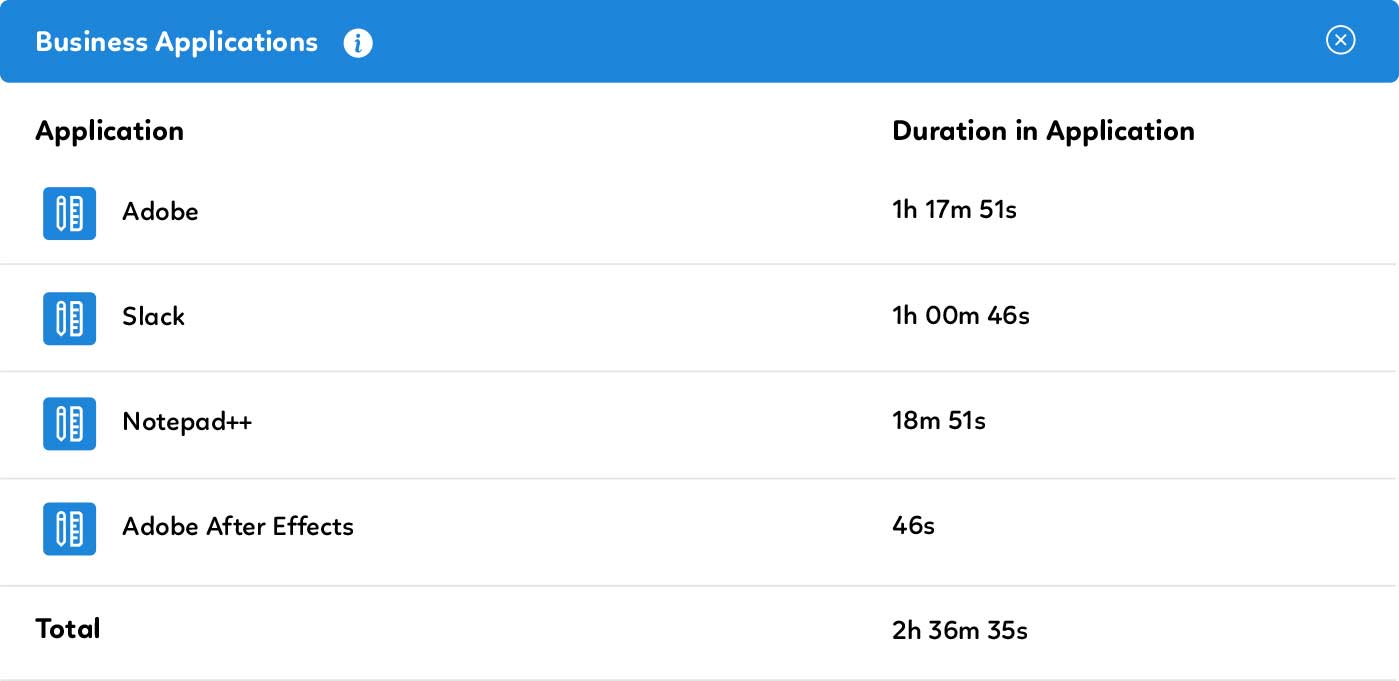
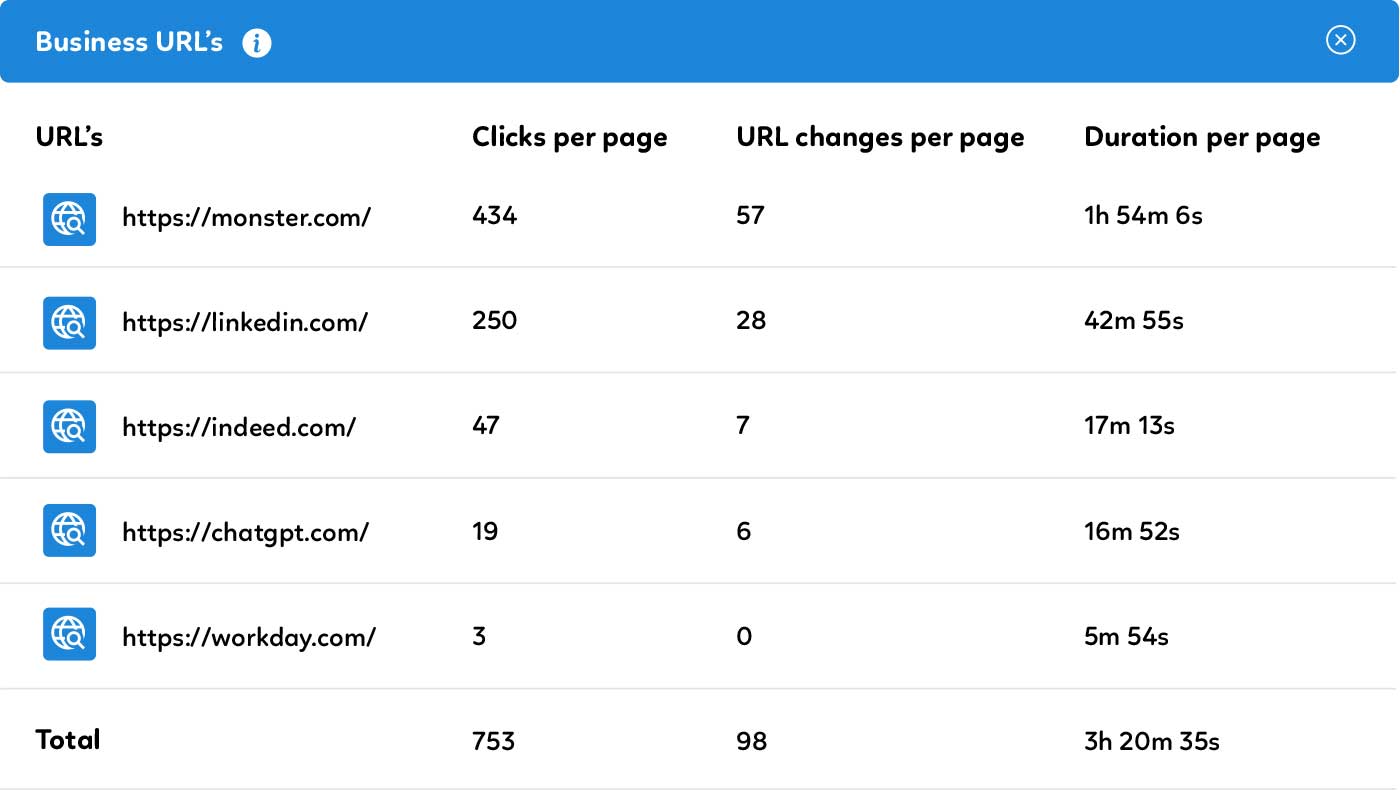
For desktop-based applications, view Duration in Application. For browser-based activity, view clicks per page, URL changes and length of time on page for the tracked URLs.
Are you ready to unlock employee success?
Because great employees need insight, not oversight